Flight Demo
A complete customer support agent for a fictional airline. This example demonstrates all major Cognidesk features working together.
The demo is intentionally small enough to run locally, but it uses the same runtime pieces as a real target: a compiled agent, state-machine journeys, a delegated journey, tools, knowledge, widgets, chat, voice, optional external channels, Studio Adapter endpoints, storage, and telemetry hooks.
What it shows
| Feature | Implementation |
|---|---|
| Agent with instructions | Concise flight support persona |
| Tools | Ticket lookup, flight search, booking |
| Knowledge sources | FAQ retrieval |
| State machine journeys | Ticket status flow with identification |
| Studio target adapter | Introspection, configuration surfaces, conversations, dashboards |
| Mocked flight-service APIs | Ticket lookup, flight search, booking |
| HTTP transport | REST + SSE |
| React chat widget | Full UI with custom widgets |
| Voice | Real-time voice conversations |
| External integration opt-in | Secure Email, Discord handoff, and WhatsApp Journeys can be enabled independently |
| OpenTelemetry | Pre-built Grafana dashboards |
Customer experience
The customer-facing app starts with a GDPR consent prompt on page load, stores
the answer in local storage, and then lets the customer choose chat or voice. If
the answer is No, the demo passes SDK privacy settings when the Conversation
starts: traceContent: "none", customerRelationVisibility: "none", and
explicit demo masks for email addresses, phone numbers, and booking references.
If the answer is Consent, the local demo keeps runtime events readable for
development.
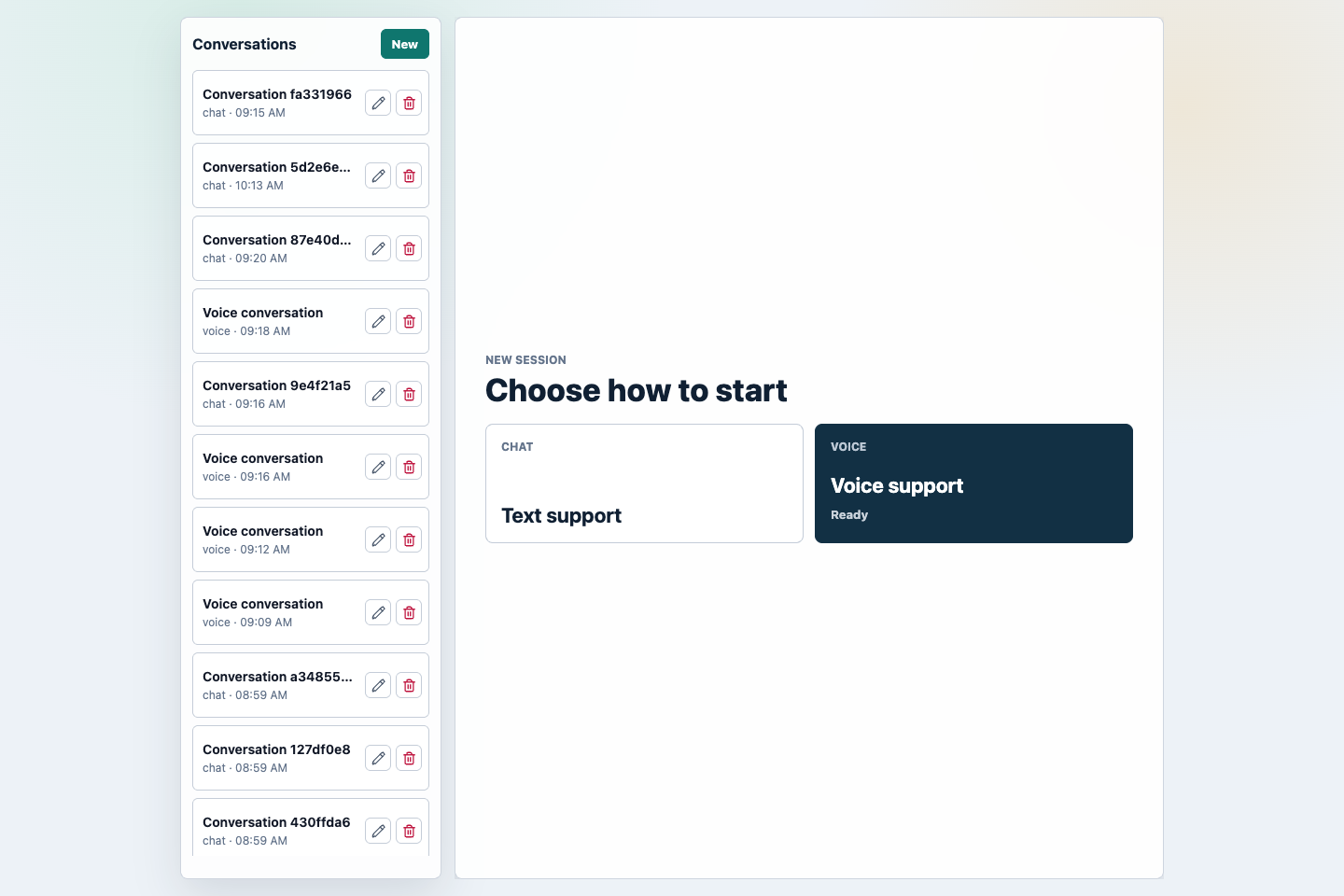
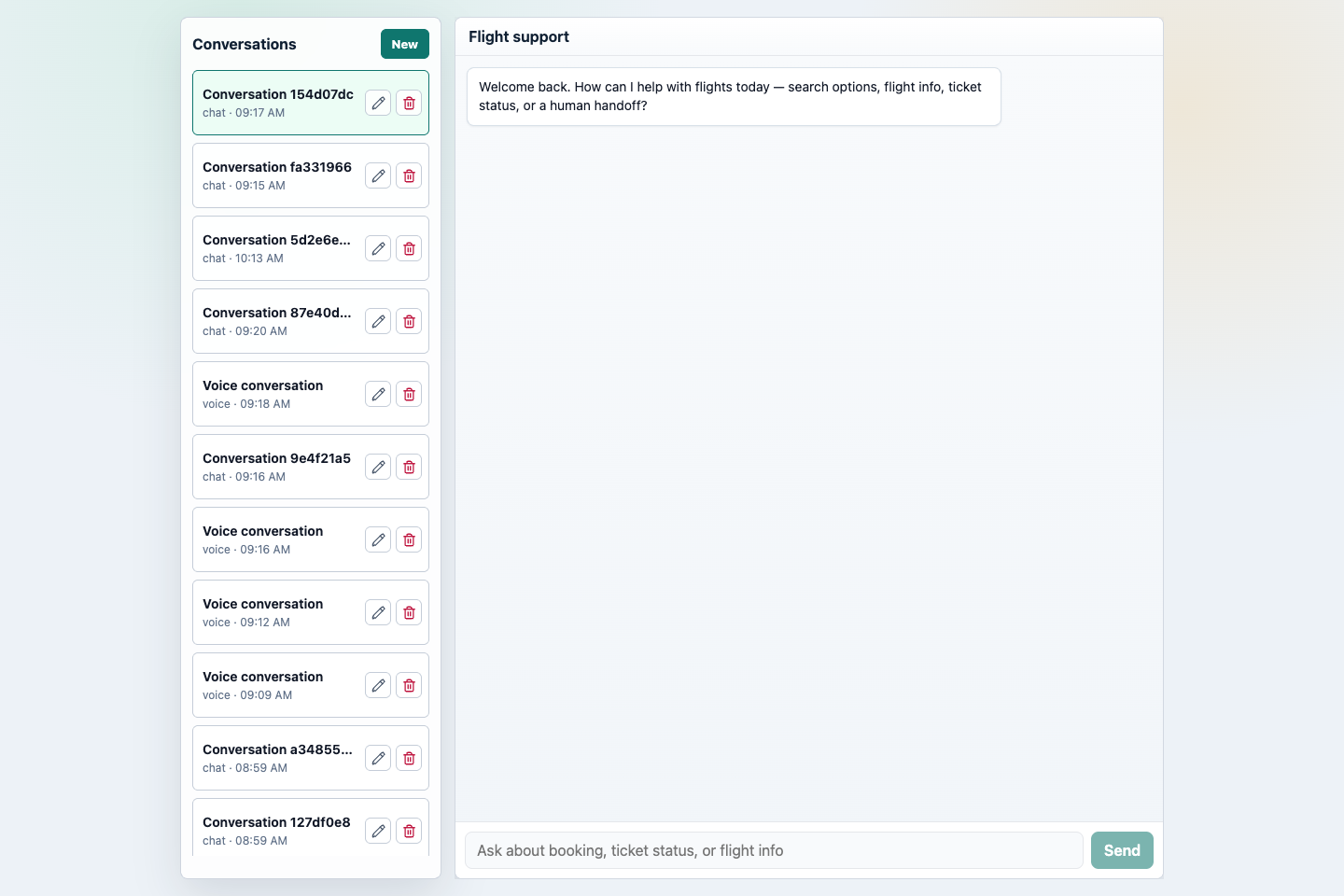
Both chat and voice create Cognidesk conversations against the same
flight-service agent, and the conversation sidebar makes it easy to resume
local sessions.
GDPR consent in the demo
The demo's GDPR selector is shown when the frontend loads and no prior answer is
stored. The answer is saved in browser local storage under
cognidesk.flightDemo.privacyConsent.v1.
| Choice | Session behavior |
|---|---|
Consent |
The demo omits privacy when creating new chat, widget-created, or voice Conversations. Local runtime events keep full demo content for development. |
No |
The demo passes privacy with traceContent: "none", customerRelationVisibility: "none", and explicit masks for email, phone, and CD-CL102-4821-style booking references. |
The selector does not implement its own redaction. It only decides which
RuntimePrivacySettings object to pass into the SDK. Core then applies the
existing privacy pipeline to stored events, replay, snapshots, telemetry, model
inputs, and Studio adapter reads.
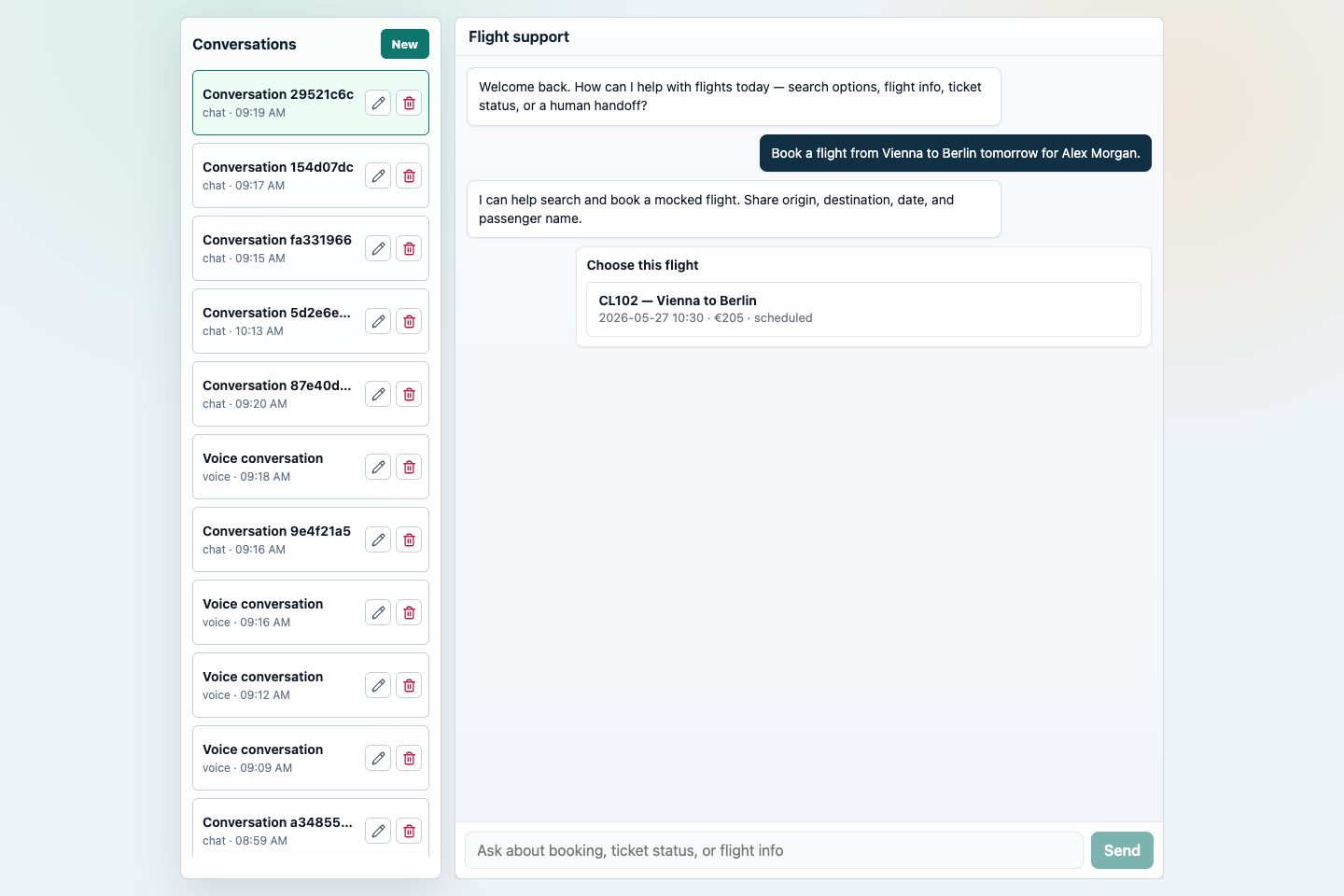
The booking flow shows why the demo is useful as a reference app. A normal support request activates the book-flight state-machine journey, extracts route and date, calls mocked flight-service tools, and emits a choice widget for the available itinerary.
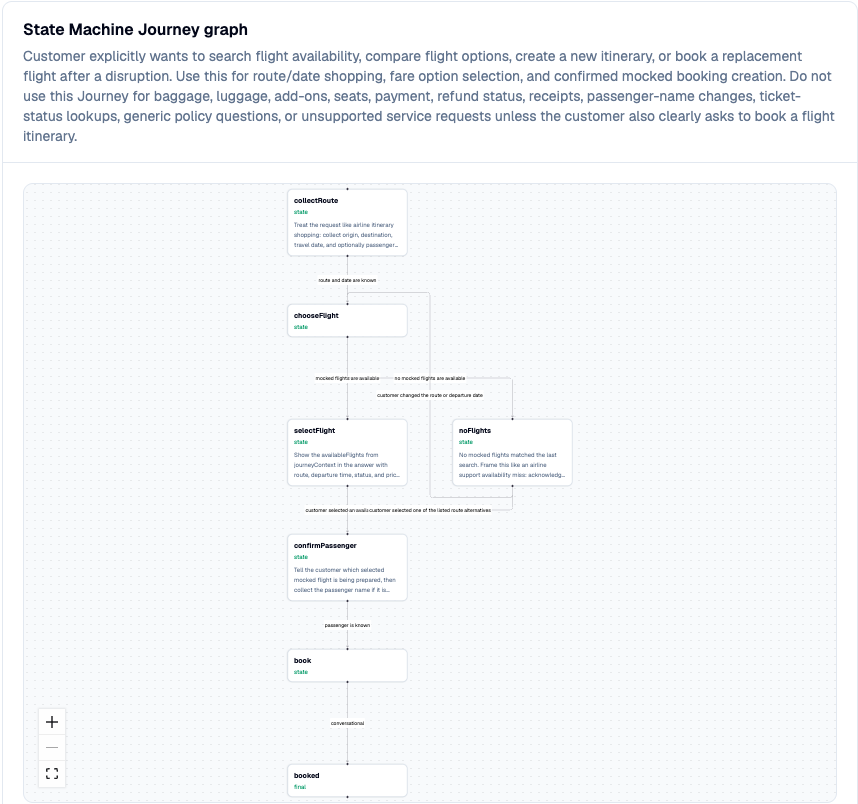
Studio shows the same booking behavior as a state-machine flow, so the demo is not just a chat transcript. Builders can see the states, branches, tool-backed steps, and final booking path that drive the customer experience.
The same pattern appears in other flows:
| Request | What the demo exercises |
|---|---|
Book a flight from Vienna to Berlin tomorrow for Alex Morgan. |
book-flight state machine, route/date extraction, mocked search tool, choice widget, and booking confirmation. |
What is the status of booking CD-CL204-4821? |
ticket-status journey and mocked booking/status lookup. |
Can I check in for CL204? |
Ticket-status path with flight-number extraction. |
What baggage is included in economy? |
Knowledge retrieval and policy-grounded answer. |
Please add a checked bag to CD-CL204-4821. |
baggage-service delegated journey. |
My flight was cancelled and I need a person. |
Human handoff path when Discord handoff is enabled; otherwise a clear local-mode explanation. |
Studio view of the same demo
Studio treats the Flight Demo as a target. The Flight API exposes Studio Adapter endpoints, and Studio uses them to inspect conversations, agent configuration, dashboards, telemetry, and operator workflows.
When you run corepack pnpm demo, open Studio at http://localhost:3000 and sign in with the default local admin. A conversation created in the Flight Demo appears in Studio with the active journey, active state, transcript, runtime snapshot, and event timeline.
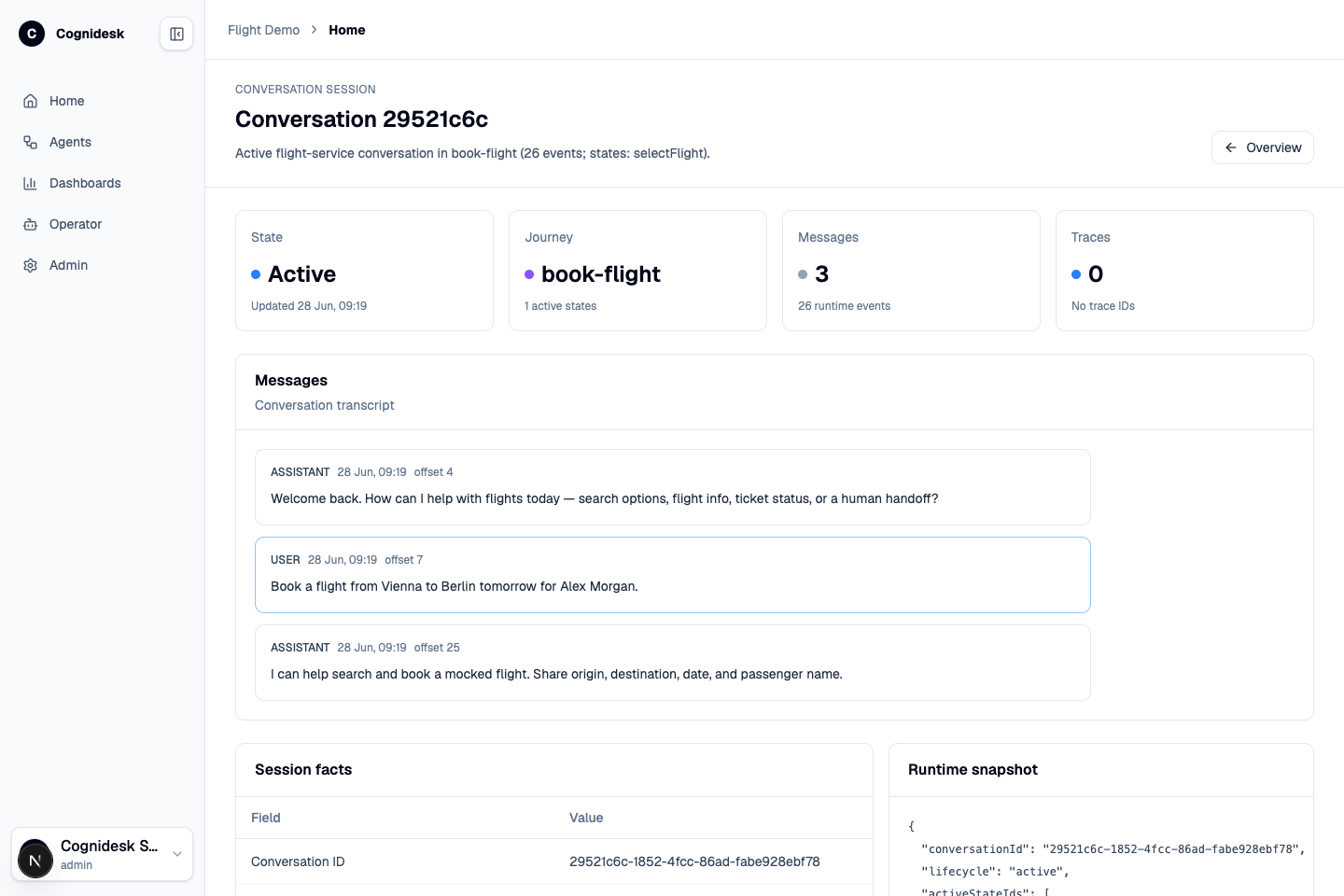
This gives the demo two perspectives:
| Perspective | Use |
|---|---|
| Flight Demo frontend | Shows what a customer sees across chat, voice, widgets, channel-status badges, and conversation history. |
| Studio | Shows what an operator or builder sees: target health, journeys, configuration, conversations, telemetry, dashboards, and operator sessions. |
For a detailed Studio walkthrough, see Cognidesk Studio.
Local development runbook
For a complete setup guide covering native development, Docker, Studio, the Studio operator runtime, OpenTelemetry, Grafana, Discord human handoff, smoke checks, and troubleshooting, use the local development runbook.
Running with Docker
Create the demo config first:
Then open:
- Frontend:
http://localhost:5173 - API:
http://localhost:8787/api - Studio:
http://localhost:3000
By default the API starts with local demo models and builds an in-memory
knowledge index if no generated index is present. For live models, set
FLIGHT_DEMO_EXTERNAL_APIS=true, provide the configured provider API key, and
run corepack pnpm --filter @cognidesk/flight-demo ingest:knowledge before
starting the stack.
Running locally
corepack enable
corepack pnpm install --frozen-lockfile
cp apps/flight-demo/config.example.json apps/flight-demo/config.json
corepack pnpm demo
This starts the flight demo API and Vite frontend, Cognidesk Studio, and the Studio operator runtime via Turbo's terminal UI.
| Surface | URL |
|---|---|
| Flight demo frontend | http://localhost:5173 |
| Flight demo API | http://localhost:8787/api |
| Cognidesk Studio | http://localhost:3000 |
| Studio operator runtime | ws://localhost:4099/ws |
On a fresh Studio database, open /login and create the first Admin account.
For live model/provider runs, set FLIGHT_DEMO_EXTERNAL_APIS=true, provide the
configured provider secrets, and run:
With OpenTelemetry
Open http://localhost:3000 for Grafana dashboards showing:
- Conversation throughput and latency
- Journey activation rates
- Tool execution metrics
- Model token usage
For local environments that cannot create Docker bridge networks, use:
Configuration
The demo uses apps/flight-demo/config.json for model, embedding, voice, and
storage settings. Copy one of these templates:
| Template | Use when |
|---|---|
config.openrouter.example.json |
You want the quickest single-key setup with OPENROUTER_KEY. |
config.example.json |
You want OpenAI defaults with OPENAI_API_KEY. |
config.providers.example.json |
You want a non-default text provider and, when needed, a separate embedding provider. |
config.google-speech.example.json |
You want Google Cloud Speech for voice. |
config.azure-speech.example.json |
You want Azure AI Speech for voice. |
config.aws-speech.example.json |
You want Amazon Transcribe and Polly for voice. |
config.deepgram.example.json |
You want Deepgram for voice. |
API keys stay in environment variables and should not be committed.
External Integration Journeys
The Flight Demo starts in local mode without live external integrations. The agent registers only the core flight-support Journeys unless you opt in to a specific integration.
| Journey | Env flag |
|---|---|
| Secure Email login | FLIGHT_DEMO_SECURE_EMAIL_JOURNEY=true |
| Discord human handoff | FLIGHT_DEMO_DISCORD_HANDOFF_JOURNEY=true |
| WhatsApp customer message | FLIGHT_DEMO_WHATSAPP_JOURNEY=true |
FLIGHT_DEMO_EXTERNAL_APIS=true enables live models and defaults all three
integration Journeys to enabled. The per-Journey flags override that default,
so FLIGHT_DEMO_EXTERNAL_APIS=true plus
FLIGHT_DEMO_DISCORD_HANDOFF_JOURNEY=false runs live providers without the
Discord handoff Journey.
When only one integration is needed, keep local models and enable just that Journey, for example:
Try it
Use these prompts after the frontend opens:
| Prompt | Expected path |
|---|---|
Find flights from Vienna to Berlin tomorrow. |
Activates the booking Journey and asks for or confirms trip details. |
What is the status of booking CD-CL204-4821? |
Uses the ticket-status Journey and mocked ticket-status tool. |
What baggage is included in economy? |
Uses Knowledge retrieval and includes source-backed policy guidance. |
My flight was cancelled and I need a person. |
Activates the handoff Journey when FLIGHT_DEMO_DISCORD_HANDOFF_JOURNEY=true; otherwise the agent explains live handoff is disabled. |
Source code
The demo source lives in apps/flight-demo/ in the repository.